Ads

About GoldFish
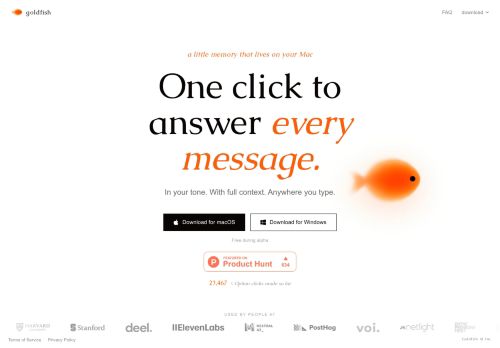
GoldFish is an AI memory assistant for macOS and Windows that delivers context-aware, one-click answers to messages.It captures full conversational context across apps to keep replies consistent and informed.
Users can set and preserve a writing tone so generated responses match their style.Local, lightweight memory maintains recent context without significant resource use, fitting desktop workflows.The app integrates with email, chat, and productivity tools to speed up replies and reduce repetitive typing.
Available for macOS and Windows with straightforward installation and one-click controls for fast message handling and context recall.
Key Features
Use Cases
Who is it for?
Users can set and preserve a writing tone so generated responses match their style.Local, lightweight memory maintains recent context without significant resource use, fitting desktop workflows.The app integrates with email, chat, and productivity tools to speed up replies and reduce repetitive typing.
Available for macOS and Windows with straightforward installation and one-click controls for fast message handling and context recall.
Key Features
- Context-aware, one-click message responses
- Captures full conversational context across apps
- Preserves user-configured writing tone for generated replies
- Local, lightweight memory storing recent context on desktop
- Integrates with email, chat, and productivity tools
Use Cases
- Speed up email and chat responses using Goldfish's cross-app conversation memory and one-click, context-aware reply generator to produce tone-preserved replies locally, reducing repetitive typing while keeping your data private
- Maintain a consistent professional voice across email, Slack, and social DMs by letting Goldfish preserve your user-defined writing tone and apply it via desktop reply automation and email chat integration
- Create a searchable, local conversational knowledge base with Goldfish that captures attachments and past decisions across apps and surfaces relevant context for faster follow-ups, team handoffs, and onboarding without sending data to the cloud
Who is it for?
- Software developers
- Product managers
- Administrative assistants
- Remote workers
- Customer support agents
No review yet!
More Memory AI Tools
Explore other memory tools with user ratings, pricing details, and in-depth descriptions. Updated regularly by our editorial team.