Ads

About Audio To Text Converter
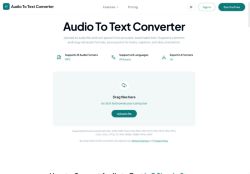
"Audio To Text Converter" converts audio and video files to searchable, editable transcripts for journalists, researchers, podcasters, students, and businesses.It supports over 20 common audio and video formats (MP3, WAV, M4A, FLAC, OGG, MP4, WebM, WMA) and transcribes in 63 languages.
The three-step workflow—upload, AI transcription, export—produces accurate speech-to-text output for long recordings and short clips.Export options include TXT, PDF, DOCX, SRT, VTT, and CSV for notes, captions, subtitles, and documentation.
Includes editing, search, and sharing tools plus automatic summaries, key-point extraction, and visual mind maps to speed review.Designed for transcribing interviews, lectures, meetings, podcasts, and voice memos to support caption workflows, content production, and searchable archives.
Key Features
Use Cases
Who is it for?
The three-step workflow—upload, AI transcription, export—produces accurate speech-to-text output for long recordings and short clips.Export options include TXT, PDF, DOCX, SRT, VTT, and CSV for notes, captions, subtitles, and documentation.
Includes editing, search, and sharing tools plus automatic summaries, key-point extraction, and visual mind maps to speed review.Designed for transcribing interviews, lectures, meetings, podcasts, and voice memos to support caption workflows, content production, and searchable archives.
Key Features
- Converts audio and video files into searchable, editable transcripts
- Supports common audio and video formats (MP3, WAV, M4A, FLAC, OGG, MP4, WebM, WMA)
- Transcribes in 63 languages
- Three-step workflow: upload, AI transcription, export
- Export and review tools: TXT, PDF, DOCX, SRT, VTT, CSV exports; editing, search, sharing; automatic summaries, key-point extraction, visual mind maps
Use Cases
- Transcribe multilingual podcast interviews automatically into editable, searchable transcripts across 20+ file formats, extract key points and automatic summaries for show notes, and export captions and archive-ready files for publishing
- Convert recorded meetings and webinars into searchable transcripts with automatic summaries and mind map visualizations to quickly identify action items, share edited highlights with teammates, and export notes or subtitle files for accessibility
- Process video lectures and research interviews in 63 languages to generate time-stamped transcripts, use key-point extraction and summaries to create study guides or content snippets, and export subtitle files and citation-ready archives for distribution
Who is it for?
- Content creators
- Podcast creators
- Reporting journalists
- Business sellers
- Administrative staff
No review yet!
More Transcriber AI Tools
Explore other transcriber tools with user ratings, pricing details, and in-depth descriptions. Updated regularly by our editorial team.