Ads
About Presentation Maker - Design.com
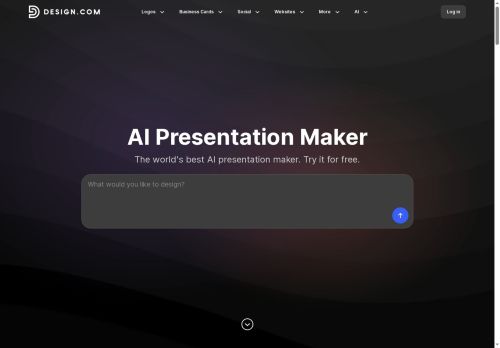
The Design.com AI Presentation Maker instantly generates professional slide decks based on your business name or keywords – eliminating lengthy design work.It boasts over 589,000 templates, including specialized layouts for pitch decks and webinars.
Easily customize with a drag-and-drop editor, swapping fonts, colors, and elements to achieve a premium aesthetic.Smart layout suggestions guide you toward optimal readability.Key features include automatic brand matching (applying your logo’s style across all slides), an integrated AI logo generator, and export options for PowerPoint and Google Slides.
Create engaging infographics with built-in tools, and leverage the extensive media library of images and icons.It's beginner-friendly, offering a “Generate → Customize → Download” workflow.Perfect for entrepreneurs, marketers, or anyone needing polished presentations quickly – download your fully branded presentation today! The AI Presentation Maker also seamlessly integrates with other Design.com tools like social media templates and digital business cards.
Key Features
Use Cases
Who is it for?
Easily customize with a drag-and-drop editor, swapping fonts, colors, and elements to achieve a premium aesthetic.Smart layout suggestions guide you toward optimal readability.Key features include automatic brand matching (applying your logo’s style across all slides), an integrated AI logo generator, and export options for PowerPoint and Google Slides.
Create engaging infographics with built-in tools, and leverage the extensive media library of images and icons.It's beginner-friendly, offering a “Generate → Customize → Download” workflow.Perfect for entrepreneurs, marketers, or anyone needing polished presentations quickly – download your fully branded presentation today! The AI Presentation Maker also seamlessly integrates with other Design.com tools like social media templates and digital business cards.
Key Features
- AI Slide Generation
- Extensive Template Library (589,000+)
- Brand Matching (Logo Integration & Color Palette)
- Drag-and-Drop Visual Editor
- Smart Layout Suggestions
- Infographic Tools
- Large Media Library (Images & Icons)
- Export to PowerPoint/Google Slides
- Beginner-Friendly Workflow (Generate -> Customize -> Download)
Use Cases
- Creating engaging pitch decks for investors or clients.
- Designing visually appealing sales reports and marketing materials.
- Developing professional presentations for webinars, conferences, or internal training.
Who is it for?
- Presentation designers
- Marketing strategists
- Sales teams
- Educators
- Creative hobbyists
No review yet!
More Presentations AI Tools
Explore other presentations tools with user ratings, pricing details, and in-depth descriptions. Updated regularly by our editorial team.